applejollygarden 2026-10-19 22:16 ♥ 2
Loved the cartoonish graphics
Foon → Ludum Dare Explorer → LD60 → Black Box of Light
By sergei-qw, emeraldrat and pintoradmiral
🤖 AI-Assisted
| Percentile | ||||||
|---|---|---|---|---|---|---|
| Category | Rank | Score | Count | LD60 | Ever | |
| Overall | 23 | |||||
| Fun | 23 | |||||
| Innovation | 23 | |||||
| Theme | 23 | |||||
| Graphics | 23 | |||||
| Audio | 1 | |||||
| Humor | 8 | |||||
| Mood | 22 | |||||
Loved the cartoonish graphics
Excellent, pleasing graphics, responsive controls, and puzzles that evolve and become engaging. Plus, the character is incredibly cute. A superb game
Incredible idea, a bit hard, but so interesting to play, congratulation !
That was great! Most of my thoughts are for things I'm presuming you want people to figure out, so I've got it in a spoiler tag.
!>It took a while to figure out that the aperture was adjustable by grabbing a red handle mid-air, but once I did that, everything clicked into place. The ending was great too, I love how the music starts off completely silent and then gradually comes in and builds and builds.
Really hard, but I love the graphics, the concept, and the mechanics
Charming cartoon visuals, responsive controls, and clever puzzles that keep evolving make this a great little adventure. It can be challenging to figure out some mechanics, but the satisfying ending and music that builds along the way are worth it!
Loved the cartoonish art style and the concept! The puzzles are really fun. Great little game, well done!
You really can tell how much effort the team put into every little movement of the characters and objects. Even where things aren’t quite perfect, I can feel the "human". It took me a little while to realise I was looking at the inside of a film camera (even as a film cam lover!), but the moment everything clicked felt WONDERFUL. The game is a bit challenging, but that makes it all the more satisfying, and the difficulty curve is really well balanced as well. This is definitely one of my fav games I’ve played today!
I really enjoyed the idea of having to go through the lab to preserve that knowledge. Solving the puzzles and figuring out how the system works to save the light was a genuinely satisfying experience.
Neat, cozy, and relaxing game with nice animations and easy-to-grasp controls. A really enjoyable experience overall!
It took me a second to figure out how to adjust the aperture, but once I got that it was smooth sailing. I had fun being a manual camera operator! Pretty sure that meteor hit me, though. And so ends my days as a photographer.
The game always tells me that i burn the film or its black or i did something wrong. :( I really want to enjoy this game but it seems there is something lost on me to make this game click for me. :(
Even the hints did not help very much tbh. I asked myself how to do a thing, all these hints tell me what things are. Yea thanks, but how do i operate an aperture or exposure? Why does the "shoot" button not take a picture? Why does it open the shutter, but the shutter lever also does that?
Sorry for rambling, I guess I am just mad at myself not the game.
Well, beyond me not fulfilling the very first order - i like what i am seeing here. great animation and responsive controls! Feels great! Great art and cool animations! I love how the arms stick to devices!
@tosmaster hey regarding how to operate aperture, there is a hint in description. I will duplicate all here for you, and also answer rest of your questions, hope you can give a game another shot!
!> To operate aperture you need to jump and grab aperture red bar with E. It can go clockwise and counterclockwise.
!> To prevent film from burning, you need to close the shutter, and then use the button, clock on top will show you approx. exposition level
!> When you use button to make shutter go up, and put a light on a film this way, exposition will slowly go up.
!> When you rotate aperture so you can see image on the ground, image will not be "too dark" or "too bright"
That was great. A nice finale too. Adjusting the aperture wasn't as obvious as the other controls. I would have liked more requests, though short and sweet was nice for a jam game.
Really a great game, I love how it catches different aspects of photography. The platformer UI looks polished, only the aperture setting was tricky to figure out.
Yep, that's how film photography works.
I really like the visual style! And the gameplay is a good take on "sitting in a box with limited controls over the state of this box" type of games.
Had to replay the last mission because I panicked and burned the film and didn't replace it in time :)
10/10. I had never used a film camera before, so it took me a little while to learn how to use it. The game's controls are really fun, and the system is well-designed and consistent. I hope you'll create more levels. What else can I say? I can't find a single flaw in this game. Of all the games I've played over the past few days, this is the best one.
Cool game! I also had trouble adjusting the aperture. I'm glad I managed to figure it out and enjoy the game.
After I figured out how everything works it became really simple and enjoyable! I would definitely make a bunch more photos in that game. The last one by the way was pretty epic and unexpected. Great work :D
Really cool!
Everything was quite intuitive, even though I had two burn the picture twice before I got it right - but I wanted to discover the game without any tips, and small mistakes were clearly saying what was wrong, so it felt completely normal as a learning process! Very good job on the game design.
I love the idea of a little creature inside a camera, doing all the job manually, it works well with the theme and has a nice humorous twist to it.
Visuals are gorgeous, very good job! I liked the small animation when jumping from too high, makes everything feel very organic. I also like that the timer was hidden behind the note - might be a detail but it helps to make the whole universe very consistent.
I see you opted-out of audio, but good job on picking the good one for your game anyway, the last one was fitting perfectly.
Good job!
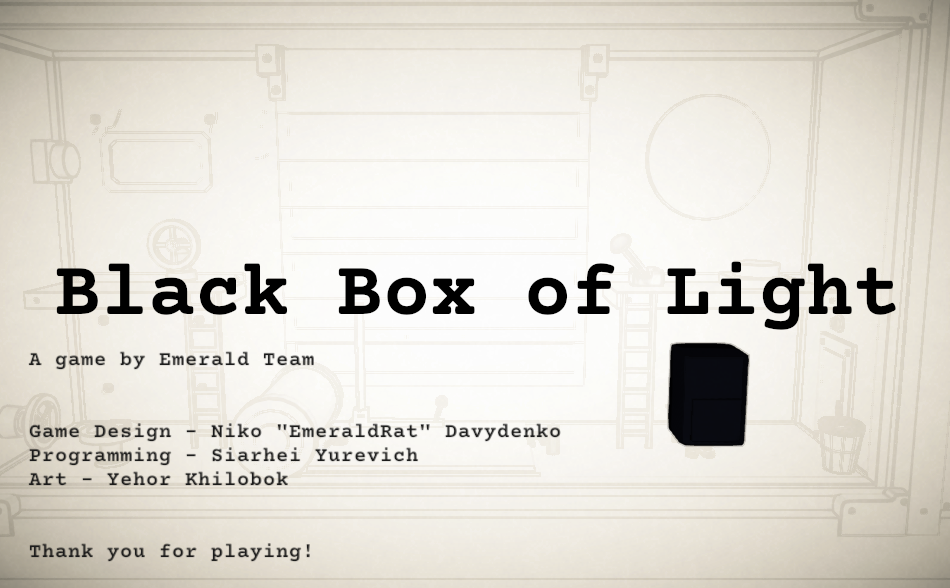
black-box-of-light-finished.PNG
I really liked this! It was charming, well-polished, cute, and !> a little spooky at the end.
The character controls weren't the main point of the game, but I loved how there were so many tiny little touches in the way your lil wizard moved that weren't *necessary*, but made the game feel so nice to play. I really appreciated that you could maintain your momentum as you swung along the aperture of the camera, rather than forcing the player into a pre-canned animation, and the little roll that the wizard does as they land from a tall height felt very good. While the overall experience was quite different, all of the smooth animations reminded me of Donkey Kong 96 on the gameboy, which is one of my personal favorite puzzle-platformers. :)
I have a little bit of constructive feedback, but my feedback is all *tiny* nitpicks which wouldn't have made it into this post if not for the fact that the rest of the package was so good! :) I only have nitpicks to bring to the table 😅
In the beginning, I struggled a little bit to figure out exactly what I was supposed to do, and probably spent around a minute or two before opening the mailbox for the first time. Upon replaying the game I did notice that the flag went up right as the scene loaded, but that was a pretty subtle animation that didn't catch my eye the first time around. Given that players need to interact with the mailbox to know what they're doing, it probably makes sense to be a bit more blunt in pointing them towards it. It was really not a big deal, but it could make the initial onboarding experience a little bit more smooth for folks who are less inclined to investigate on their own :)
After getting my assignment, I had a good time playing around with the mechanisms of the camera to figure out how to take a photo. The bright red coloring on the interactive elements of the camera made the controls very readable, and I had no issues at all figuring out what I needed to do. :) The only thing that felt a little bit strange was that the aperture was the only interactive element that didn't prompt you to interact with it; this didn't feel like a puzzle to me (the handles were still bright red, so it wasn't as if I were discovering something *hidden*), so much as a strange UX quirk.
The only other piece of UX-related feedback that I had while playing is the *tiniest* detail, but it was very distracting as someone who has done a little bit of film photography 😅 On a film camera, aperture size and exposure time are the two variables that you can use to control how much light reaches the film. Normally, as exposure time increases, you need to close the camera's aperture further in order to prevent over-exposure, but all of the puzzles required you to adjust both exposure and aperture size in the same direction. This is *such* a nitpick, but it felt like it was worth pointing out, because it slightly distracted from the fantasy of running around inside of a camera.
Sorry for not bringing any more substantial feedback to you! Overall, this was really well made! I had a great time playing :)
@koolruz thank you for the feedback!
Regarding aperture and exposure affecting the light, I had the same feedback from Serhei, who did the programming and is a great photography specialist. In fact, it even worked this way during development! I decided to split them up and have each element of the game affect a separate variable to make the game more straightforward for non-specialists, and also to make the error messages clearer.
Regarding your feedback that the aperture is not prompting to interact: in my head, the red bars were the aperture-only control element, so it was prompting. But given that the aperture was the hardest part of the game (based on feedback), maybe we should've made it clearer! The red markings were a compromise in themselves. I was inspired by "figure out how it works by trial and error" games like Nauticrawl and Please, Don’t Touch Anything. In the end, I decided to add error messages, red markings, and optional hints just because I understood that people wouldn't play my game for an hour in a game jam format.
If we make a bigger version of the game, it will definitely have some co-dependent mechanics (like aperture and exposure) and a lot fewer hints 🥸