Foon → Ludum Dare Explorer → LD41 → Feedback comment stats → tsjost
Feedback comments for LD41
tsjost's games and stats for all events →
| Timestamp | Since previous | Game | tsjost's comment | |
|---|---|---|---|---|
| Apr 26 17:29:05 | Red Shirt Engineer | ♥ 0 | Very nice idea, logic gates are always fun, but the clunky UX was frustrating. At first I thought something was broken with keyboard input as arrow keys and W was working, but A and D weren't (even though it said something about thrusters right before). In the logic editor it took a while to see the blue dots, and I'm not sure why one can't hook up e.g. right input to left thrusters immediately without a gate. When I had gotten the thrusters working I returned to the ship view to find the shooting had stopped and I couldn't find any emenies or something -- after waiting around for a while I restarted the game. This time I got through the logic quicker and the enemty was still there, and I could shoot it down with the very slow weapons. I'm still not sure whether the main thrusters actually work, since pressing W lights the back up, but you're not actually moving anywhere (another ship was on-screen, and it stayed in the same spot regardless if I was "moving" or not). Then came the logic design for the weapons system; I'm guessing you have to AND the user input with either the inverse or the non-inverse of the overheat signal, depending on if it's active high or low, which you find out by trying and then redesigning if you did it wrong? Honestly I couldn't get past this part as there was too much information to handle with the current UI; when a node tooltip closed I immediately forgot what it was about -- a label next to the nodes would be great so you can see what everything is. The mouse is constantly moving back and forth between the nodes, the main design board and the toolbar to do things and switch between nodes, which gets a bit tiring. With smoother UX this would make a great game! | |
| Apr 26 17:39:36 | 10m 31s | Hedge-Hop | ♥ 1 | Is the camera supposed to constantly pan very slowly to the left? The game is an interesting concept but it gave me _bad_ sea sickness instantly. "Realistically" a 2D FPS game would only see things in 1 dimension (like Flatland). It would be cool if a game could be made around that. |
| Apr 26 17:48:47 | 9m 11s | Battlefield Hearts | ♥ 0 | _This site has been disabled._ :/ |
| Apr 26 19:50:22 | 2h 01m | Flatformer | ♥ 1 | It's a bit unclear what you're supposed to do in the beginning. I tried moving around with WASD, and pressing D brings up some help screen with a "Done" button in the bottom corner, which isn't clickable until you press the "Done" in the upper corner -- but pressing that one did something in the game which I didn't see so I had to restart. After that it was quite easy to figure out how to play, after trying a few cards to see what they would do. Even knowing a card, though, it's sometimes hard to tell exactly what it will do in some cases. Will the jump parabola be able to reach this ledge? Or this card hanging in mid-air? Having some visualisation in the world of the card's effect might make this more intuitive. The game mechanic is pretty fun, considering I don't typically like card games. Sometimes you have to wait a long time for the enemies to perform their turns which is extremely annoying and breaks the flow. The camera is a bit lazy and has some problems falling behind following the player, and it's so zoomed in that sometimes you can't see the floor on the layer underneath you. On the second level the Deck Builder screen popped up telling you about a buy/sell cards mechanic. After writing this I realised that that screen _is_ the buy/sell cards screen. I'm not entirely sure what purpose the deck builder serves -- again, I'm not a card player -- except give you more of a certain card, but it's all shuffled and the cards get re-used anyway. Some cards are smaller size than others. I'm not sure if that's a bug or some feature I missed? Overall a cool game and I'm always a fan of mouth-made sound effects! It'd be addicting with better pacing and intuitive UI! Having to "program" a sequence of cards that the spaceship has to execute all in one go would be an interesting twist too. |
| Apr 28 23:22:28 | 51h 32m | Cramzon Mine | ♥ 1 | Cool idea and great implementation! It's easy to understand how and what you're supposed to be doing, and it's quite fun and a nice challenge. To start off it's easy enough to find the correct item and box it, but after a while it becomes borderline impossible. All the items go flying into low Earth orbit when you drag something out from the bottom, so you have to be really careful! Sometimes you can see an item behind a few others but can't click it due to slightly big hitboxes, which is a bit frustrating. You have to move the other items away, but you then have to click the object super-quickly before the other things fall back down again. This is the main pain point of the game, I feel. Great fun, I'm definitely coming back and playing this again! |
| Apr 28 23:30:27 | 7m 59s | Card Bored Unicorn Runner | ♥ 0 | I can't get anything to happen and the browser crashes after a few seconds. |
| Apr 28 23:39:39 | 9m 12s | Jump and Draw | ♥ 1 | It's a bit unclear how the mechanics work. I ran through the first level by jumping over the enemies. Clicked on some cards that shot basketballs and a field of snowballs or something. I couldn't get them to hit anything so I'm not sure how you're supposed to use them. On the second level I had trouble dodging the spikes around the heart, as the controls are a bit floaty and the character is apparently rollerskating. I tried killing the spikes and stuff with some other cards but again I saw no real effect, which made the rest of the level a challenging task. |
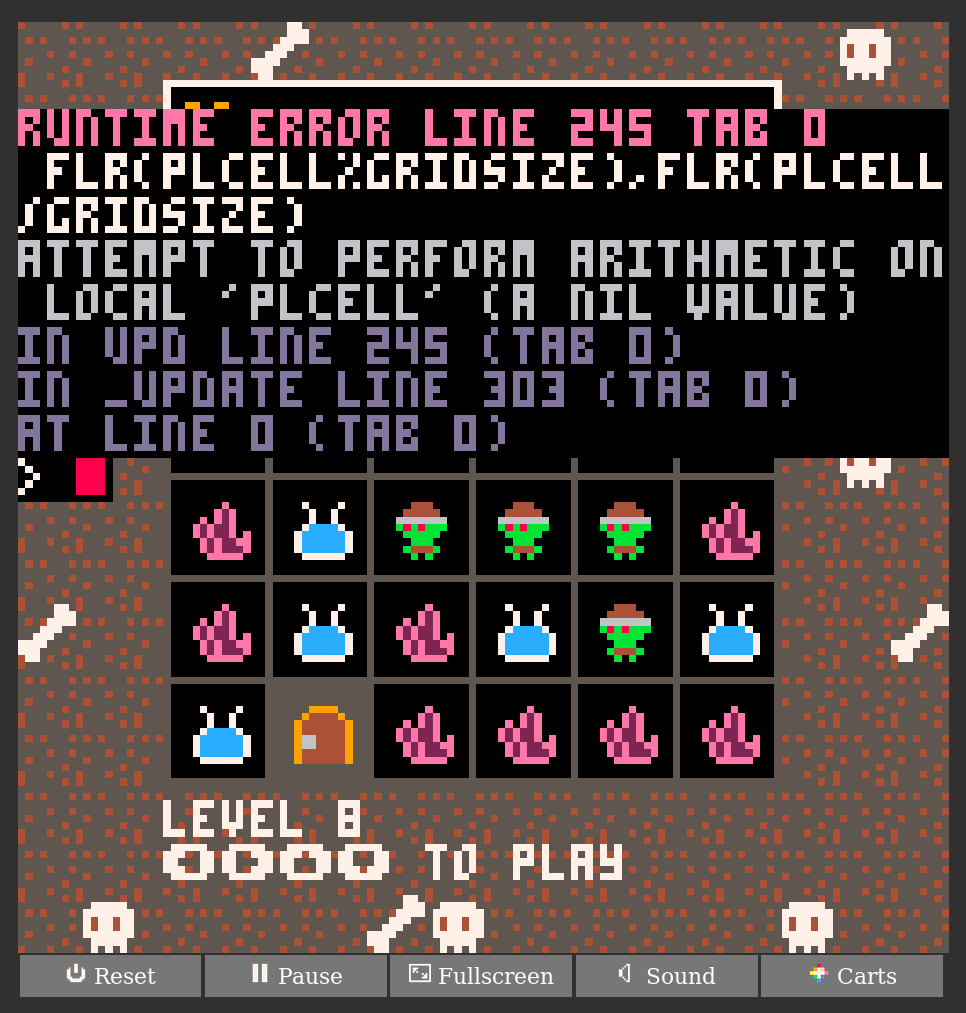
| Apr 29 00:21:49 | 42m 10s | Pretty Crowded Dungeon | ♥ 0 | I really like the "Reset cart" effect on the Enter menu¸ but I guess that's just part of the Pico-8 emulator. That's where I spent a few minutes as I tried to figure out how to actually start the game, as the "Press [icon]" didn't really help. When I realised it's a game system emulator I tried the annoying z x c keys and Bob's your uncle. I'm not at all a fan of Bejeweled games, but this one has an interesting twist! It was easy to figure out the mechanic of grabbing the key and getting life points when connecting things, however, I found I could just bee-line through most levels and it would be fine, so I didn't have to do very much thinking. After a while I also received this error. 2018-04-29-021437_966x1013_scrot.png |
| Apr 29 01:11:24 | 49m 35s | Chord Run | ♥ 2 | Interesting concept, guitar hero with platforming! Nice touch having level names with notes. The gameplay is a tad slow and having the same distance between the things makes it a bit repetetive and non-dynamic. It's unfortunate that you're not actual playing any melody, just random notes, it would improve the feel dramatically. Instead of referring to the description being a requirement it would be nice to have the controls presented in-game, e.g. maybe having the numbers 1 through 4 laid out on the tracks, and up arrow on the side of the short blocks, inside keycaps icons. |
| Apr 30 01:18:28 | 24h 07m | Speed Phoning | ♥ 0 | I watched you on stream during the development of this game, so naturally I don't get to experience the initial confusion of trying to figure out what to do. Regardless, even knowing what to do, the game starts off with a very loud _SPEED UP_ as if you've already done something wrong. Maybe giving the car some initial velocity would work around this and give some better indication as to what's up. I'm not very good at sliding puzzles but managed to do it after a while. I didn't have any problem doing both the puzzle and driving at the same time, as you can constantly hold the up arrow, and then quickly tap space and any other arrow key to move a piece -- for moving a piece upwards, just release the up arrow and hit it again. While playtesting during the stream, the puzzle controls were inverted, as in you were moving the hole around instead of moving pieces into it, which was very disorienting -- I'm glad you changed this to the more intuitive behaviour! Very impressed this was all done in C++ with your own hand-crafted game engine! |
| Apr 30 01:40:21 | 21m 53s | Forest Groove | ♥ 2 | A musical rhythm game is kind of hard to play when the beat you have to do actions on doesn't line up with the music. I had to keep looking at the bottom to know when to press things, making me unable to see what was going on in the actual game. I'm not entirely sure how you're supposed to play. I got the rhythm-o-meter up over the bar and pressed space and when I did it right a flower spawned (I guess, I had to look at the beat UI). Some audible/more visual feedback that you're doing something right/wrong would be nice. Even then the gameplay and goal is unclear. The manual is way too long. Upon initial reading, I haven't yet played the game, so there is nothing to which to ground what I'm reading -- it's just words. Even after playing for a while there's still too much to absorb. Introducing concepts and mechanics to the player in-game is a much smoother experience, e.g. when the rhythm-o-meter has filled up, it can display some text "_Press Space to construct building_" and highlight the tiles upon which a building can be constructed. |
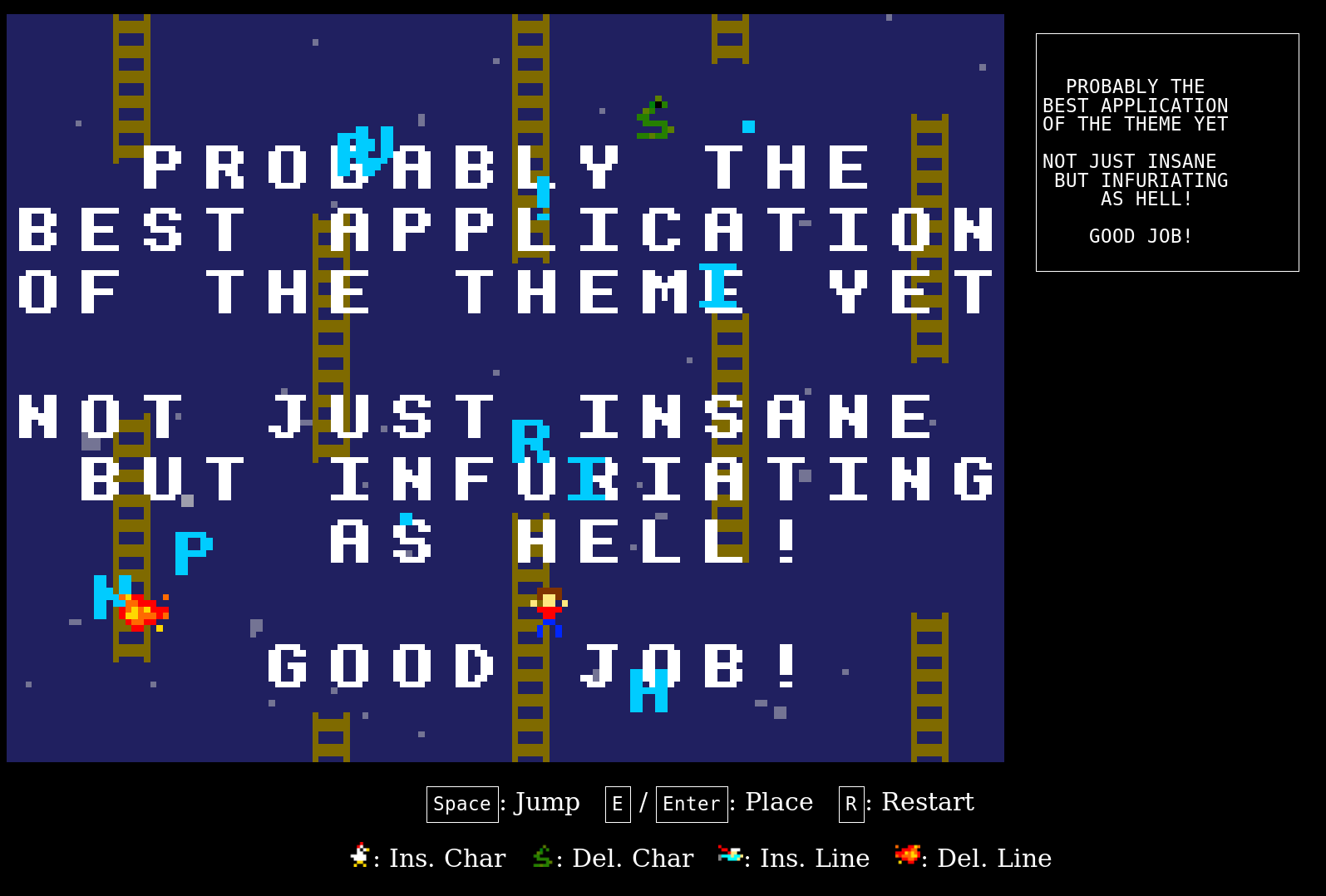
| Apr 30 02:12:30 | 32m 09s | PlatyPad | ♥ 4 | 2018-04-30-041049_1595x1078_scrot.png |